
Now that Melanie is getting older, holidays are becoming even more fun!
She can understand the meaning of celebrations and anticipate all of the accompanying special traditions.
Like, Easter – she's SO excited for the Easter Bunny and hunting for eggs!
We've invited Melanie's best friend and his family to come over on Easter Sunday and do an Easter egg hunt with us.
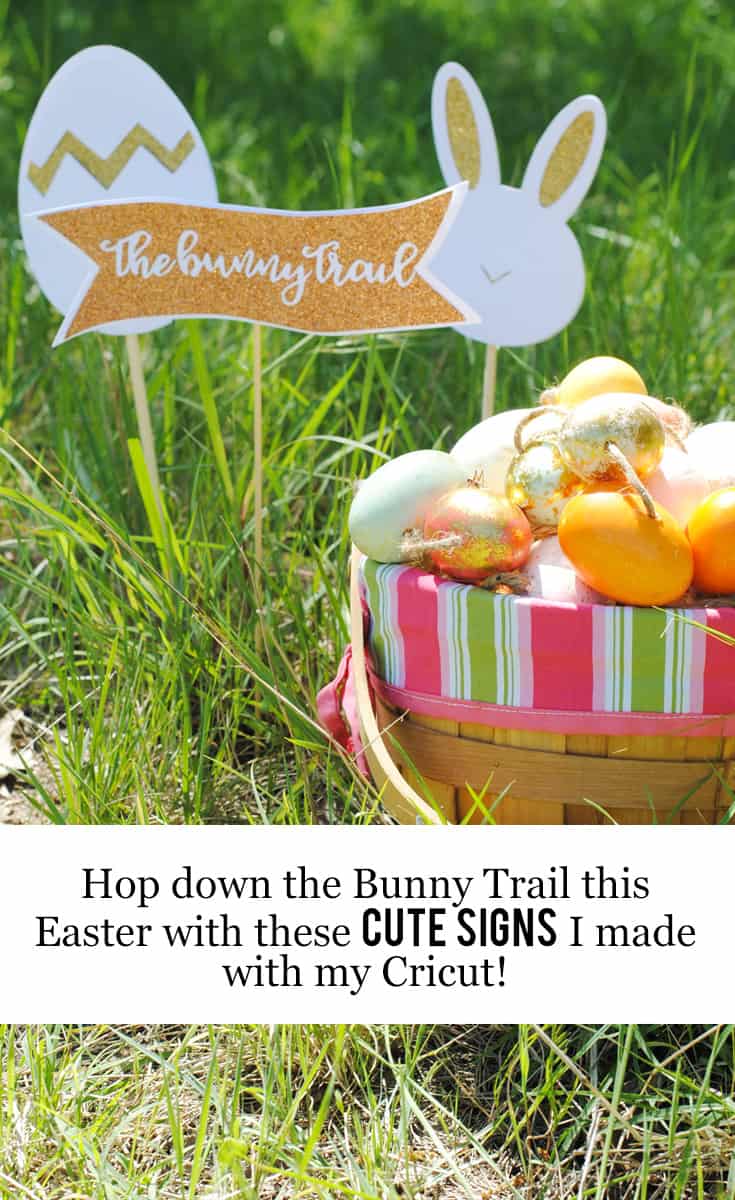
I wanted to make it a little more special by embracing the Easter Bunny's visit and creating a cute Bunny Trail for the kid's to find the eggs on.
We'll make the “trail” by setting up signs along the path and signaling to the kids that eggs are nearby.
Easter Bunny Trail DIY: Create Magical Moments this Easter
And guess what?
// I may earn money from the companies mentioned in this post. //
I've created a simple tutorial so you can hop down the Bunny Trail this Easter with these cute signs that I made with my Cricut!

This project was SO easy to do and it took me less than ten minutes. Check out how I did it:
Supply List:
- Cricut Maker
- Free Bunny Trail Downloads:
- Glitter Cardstock
- Plain Cardstock
- Chopsticks or Bamboo Skewers
- Glue
- Cricut Mat
- Paper Trimmer
- Cricut Weeding Tool

Instructions:
Step One:
Download and save the Bunny Trail files on to your computer and then upload them to Cricut Design Space:
Log into Cricut Design Space.
Select “Start a New Project”.
Next, select “Insert Image”, located in the sidebar on the left.
Select “Browse” and choose the image from your computer that you would like to upload into the Cricut Design Space.
Select from the three options offered to indicate what type of image quality best matches the image you just uploaded. For the this DIY, choose “Simple Image”. Click “Continue To Step 2”.
Next, use the “Edit” option to resize your upload to the desired size. For this project, I resized them to a fixed height set at 5.5 inches (and then whatever width it ended up being).
In this step, you will be removing all the white space (or negative space) to make cut lines for your Cricut Maker to follow.
Basically, this is where you'll click and remove the parts of the graphic that you want the Cricut Maker to cut out (and leave the image intact).
This is where you will remove all the white space that you do not want cut. Use the magic wand to click on the areas that you want the Cricut Maker to cut out – after you click on them, there should be a light blue/white square background showing behind them.
Click “Continue To Step 3″.
Big Fat Tip: The checkerboard background indicates the areas that have been removed and will not cut. The solid areas represent the image you will use on the design screen.
Next, you'll be asked to name your file.
You also have the option to tag your image, which can help you find it later if you forget the file name. Click “Save Image”.
Now, you'll be returned to the “Upload Images” screen.
Your new image will appear in the “Uploaded Images Library”.
Click on the image to add the image to your project.
Big Fat Tip: A green check will appear, indicating it is selected.
Click “Insert Images” to add your uploaded image to the design screen.
Step Two:
Select the Cut option in the Layers tab on the top right.
Step Three:
Turn the knob on your Cricut Maker to “Cardstock”.
Step Four:
For the sign backs, use the Paper Trimmer to cut the Plain Cardstock to the necessary size and apply it to the Cricut Mat with the textured side down.
For the sign middles, cut the Glitter Cardstock to the necessary size and apply it to the Cricut Mat with the glitter side up.
For the sign fronts, cut the Plain Cardstock to the necessary size and apply it to the Cricut Mat with the textured side up.
Step Five:
Load the Cricut Mat into the Cricut Maker and then press Go.
Step Six:
Watch the Cricut Mat cut out your uploaded image.
Step Seven:
Once the cutting is complete, remove the cardstock from the Cricut Mat.
Then use the Cricut Weeding Tool to peel the negative space pieces off your cut cardstock graphics.
Step Eight:
Now, you'll remove the backing off the cut cardstock graphics and create your signs.
Start by laying the Plain Cardstock backs with the textured side down and applying Glue to the smooth side.
Then, layer your Glitter Cardstock cut piece on top with the glitter side up.
Lastly, apply Glue to the smooth side of the Plain Cardstock fronts and then adhering them to Glitter Cardstock with the glue-covered, smooth side down and the textured side up.
Big Fat Tip: Leave a small unglued section along the bottom of the layered signs so you can attach them to the chopsticks/skewers.
Step Nine:
Use Glue to attach the Chopsticks or Bamboo Skewers to the signs (I sandwiched mine in between the layers).
Step Ten:
Enjoy!






Leave a Reply